Skip to main content
META TAGS to Blogger
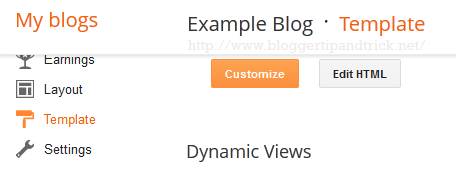
1.Go to "Template" --> "Edit HTML" of your blog.
2.Find this code:<b:include data='blog' name='all-head-content'/>3.Now add below code just after the above code.<meta content='DESCRIPTION HERE' name='description'/><meta content='KEYWORDS HERE' name='keywords'/><meta content='AUTHOR NAME HERE' name='author'/>Look at the example below: Replace,DESCRIPTION HERE: Write your real blog descriptionKEYWORDS: Write the keywords of your blogAUTHOR NAME: Write the author's name(Your name)Now save your template. You have successfully added meta tags to your blogger blog.


Comments